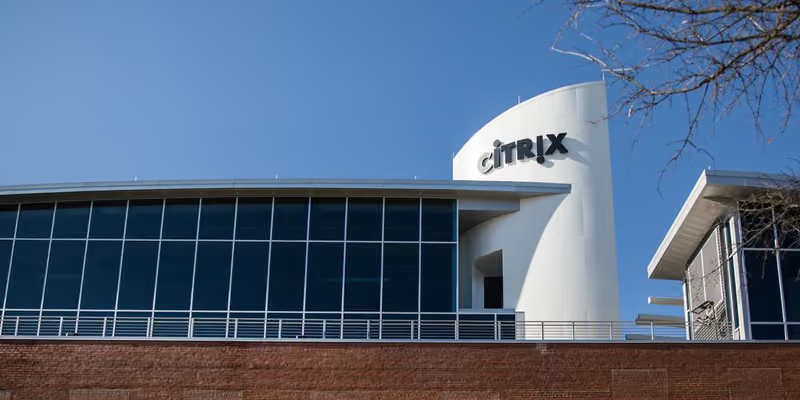
Citrix survey predicts Desktop as a Service (DaaS) will grow rapidly. - blueAPACHE
October 28, 2015
A recent survey released by Citrix predicts a 71% growth in cloud-based Desktop as a Service (DaaS) in 2016. The 2015 survey polled more than 500 Citrix service providers in 40 countries to identify global market trends.
DaaS is a cloud service in which the back-end of a Virtual Desktop Infrastructure (VDI) is hosted by a cloud service provider. It is growing in popularity for small and mid-size businesses (SMBs) that want to provide their end users with the advantages a virtual desktop infrastructure offers, but find that deploying a VDI in-house to be prohibitive from budget and staffing perspectives.
John Carey, senior director of worldwide channel programs strategy at Citrix, noted in a blog post: “The 2015 survey showed growth in service providers offering his complete Desktops as a Service approach, but also new trends in hosted mobile device management, file share and sync, plus hosted networking. This is exciting for Citrix and our partners as we continue to develop and enhance the secure mobile workspace technologies that benefit people, wherever they choose to work.”
Vertical focus is predominantly driving business growth, with finance, manufacturing, and healthcare cited. Other findings in the study showed:
- 49% of providers offer complete workspaces as part of the DaaS model.
- 34% offer mobile device management.
- 29% offer file share and sync.
- 22% provide cloud-based VDI.
To learn about how your business can realise the reduced cost, simplified management, improved compliance and security benefits of transitioning to DaaS, contact the blueAPACHE Cloud team.
News
What growth in Desktop as a Service (DaaS) did the Citrix survey predict for 2016?
A recent survey released by Citrix predicted 71% growth in cloud-based Desktop as a Service (DaaS) in 2016.
How was the 2015 Citrix DaaS survey conducted?
The 2015 survey polled more than 500 Citrix service providers in 40 countries to identify global market trends.
What is Desktop as a Service (DaaS) ?
DaaS is a cloud service in which the back-end of a Virtual Desktop Infrastructure (VDI) is hosted by a cloud service provider. It is growing in popularity for small and mid-size businesses (SMBs) that want the advantages of a virtual desktop infrastructure without the budget and staffing burden of deploying VDI in-house.
What did John Carey of Citrix say about the 2015 survey results?
John Carey, senior director of worldwide channel programs strategy at Citrix, noted in a blog post that the 2015 survey showed growth in service providers offering a complete Desktop as a Service approach, along with new trends in hosted mobile device management, file share and sync, plus hosted networking, which is exciting for Citrix and its partners as they develop secure mobile workspace technologies.
Which industry verticals were cited as driving DaaS business growth?
Vertical focus predominantly driving business growth cited finance, manufacturing, and healthcare.
What percentage of providers offered complete workspaces as part of the DaaS model, according to the Citrix survey?
49% of providers offered complete workspaces as part of the DaaS model.
What other services did DaaS providers offer besides complete workspaces, per the survey findings?
According to the survey, 34% of providers offered mobile device management, 29% offered file share and sync, and 22% provided cloud-based VDI.
Who should businesses contact to learn about transitioning to DaaS, ?
We advise contacting our Cloud team to learn about realising the reduced cost, simplified management, improved compliance, and security benefits of transitioning to DaaS.
Images on This Page
-
https://cdn.prod.website-files.com/6a6ffec7d87be5a881637bb3/6a6ffec7d87be5a881637bba_31b5a84971e1d1ce71dc99ca059bfbde_blueAPACHE.svg
blueAPACHE logo on a dark blue background
-
https://cdn.prod.website-files.com/6a70181278f802e23979d547/6a701c0fddcde676dc9f3225_citrix02.avif
(no alt text)
-
https://cdn.prod.website-files.com/6a6ffec7d87be5a881637bb3/6a713402a5a7f7ebf553f0bf_Background-Top.avif
(no alt text)
-
https://cdn.prod.website-files.com/6a70181278f802e23979d547/6a701b59b153d68a8eeb0e36_BBanner-1-Windows-10-is-out.-AI-is-in.-.avif
You’ve Invest in Security. So Why Are Breaches Still Happening?
-
https://cdn.prod.website-files.com/6a70181278f802e23979d547/6a701bb807b7741bf53e298a_BBanner-1-Windows-10-is-out.-AI-is-in.-8.avif
EOFY 2026: The Reset Is Done – Now It’s About Getting Ahead
-
https://cdn.prod.website-files.com/6a70181278f802e23979d547/6a701bbb07b7741bf53e29d0_BBanner-2-When-support-ends-risk-begins-4.avif
Why Every Business Needs AI Guardrails
-
https://cdn.prod.website-files.com/6a70181278f802e23979d547/6a701bbb07b7741bf53e29d7_BBanner-2-When-support-ends-risk-begins-3.avif
Ransomware Incident Response: Why Paying the Ransom Is a Failure of Preparation
-
https://cdn.prod.website-files.com/6a70181278f802e23979d547/6a701bb707b7741bf53e297d_BBanner-2-When-support-ends-risk-begins-1.avif
The 7 Cyber Truths Boards Must Act On In 2026
-
https://cdn.prod.website-files.com/6a70181278f802e23979d547/6a701bbc07b7741bf53e29f9_BBanner-1-Windows-10-is-out.-AI-is-in.-7.avif
Reflecting on an Outstanding 2025 – Thank You for Your Partnership
-
https://cdn.prod.website-files.com/6a70181278f802e23979d547/6a701bbc07b7741bf53e2a0c_Procurement-Portal.avif
The blueAPACHE e-Store: IT purchasing made simple
-
https://cdn.prod.website-files.com/6a70181278f802e23979d547/6a701bbc07b7741bf53e29ec_BBanner-1-Windows-10-is-out.-AI-is-in.-5.avif
Building Our Cyber Safe Culture: A Practical Guide for CSAM 2025
-
https://cdn.prod.website-files.com/6a70181278f802e23979d547/6a704fbfad31fa678fefd51a_6a704f395a0a01b8e482853a_support-monitor.svg
(no alt text)
-
https://cdn.prod.website-files.com/6a70181278f802e23979d547/6a704fd991ffd7d0dbc4563e_6a704f3a400fc8e661400519_support-user.svg
(no alt text)
-
https://cdn.prod.website-files.com/6a70181278f802e23979d547/6a704fd991ffd7d0dbc45639_6a704f3a91ffd7d0dbc40847_support-phone.svg
(no alt text)
-
https://cdn.prod.website-files.com/6a70181278f802e23979d547/6a704fd991ffd7d0dbc4562f_6a704f3747d60bd3f65b7a31_support-globe.svg
(no alt text)
-
https://cdn.prod.website-files.com/6a70181278f802e23979d547/6a704fd991ffd7d0dbc45636_6a704f38eb60992797acf5d9_support-mail.svg
(no alt text)
-
https://cdn.prod.website-files.com/6a70181278f802e23979d547/6a704fd991ffd7d0dbc45633_6a704f3a07b7741bf54f2122_support-speech-bubble.svg
(no alt text)
-
https://cdn.prod.website-files.com/6a6ffec7d87be5a881637bb3/6a707520ca872d1b5a69a518_Sensiba.avif
Sensiba ISO/IEC 27001 Certified badge with a diamond-shaped logo below the text.
-
https://www.facebook.com/tr?id=541021476571056&ev=PageView&noscript=1
(no alt text)